Journaling prompts that come in sequences
Reflection practice, sessions with clients, your own decks
Fourteen guided sequences instead of a prompt list, an image to describe when the page stays blank, and a shared board when you work with someone else. Nothing to install.
For whom
Personal practice, client sessions, deck creation, or selling through your store – choose your scenario.
Self-reflection
Start instantly – via an invite from a psychologist or on your own. Public decks available without sign-up.
Learn morePsychologists & coaches
Professional platform for individual, group sessions, workshops, and T-games. Shared board in real time.
Learn moreDeck creators
Publish on the platform or sell directly via invite codes – no store of your own needed.
Learn moreShops & integrations
Secure digital sales channel for MAC decks. Manual code delivery or REST API automation.
Learn more


How it works
Three steps to your first prompt.
Open the platform
A session is created automatically. Or follow a link from the host.
Pick a deck
Public decks are available instantly. Author decks – via invite code.
Work on the board
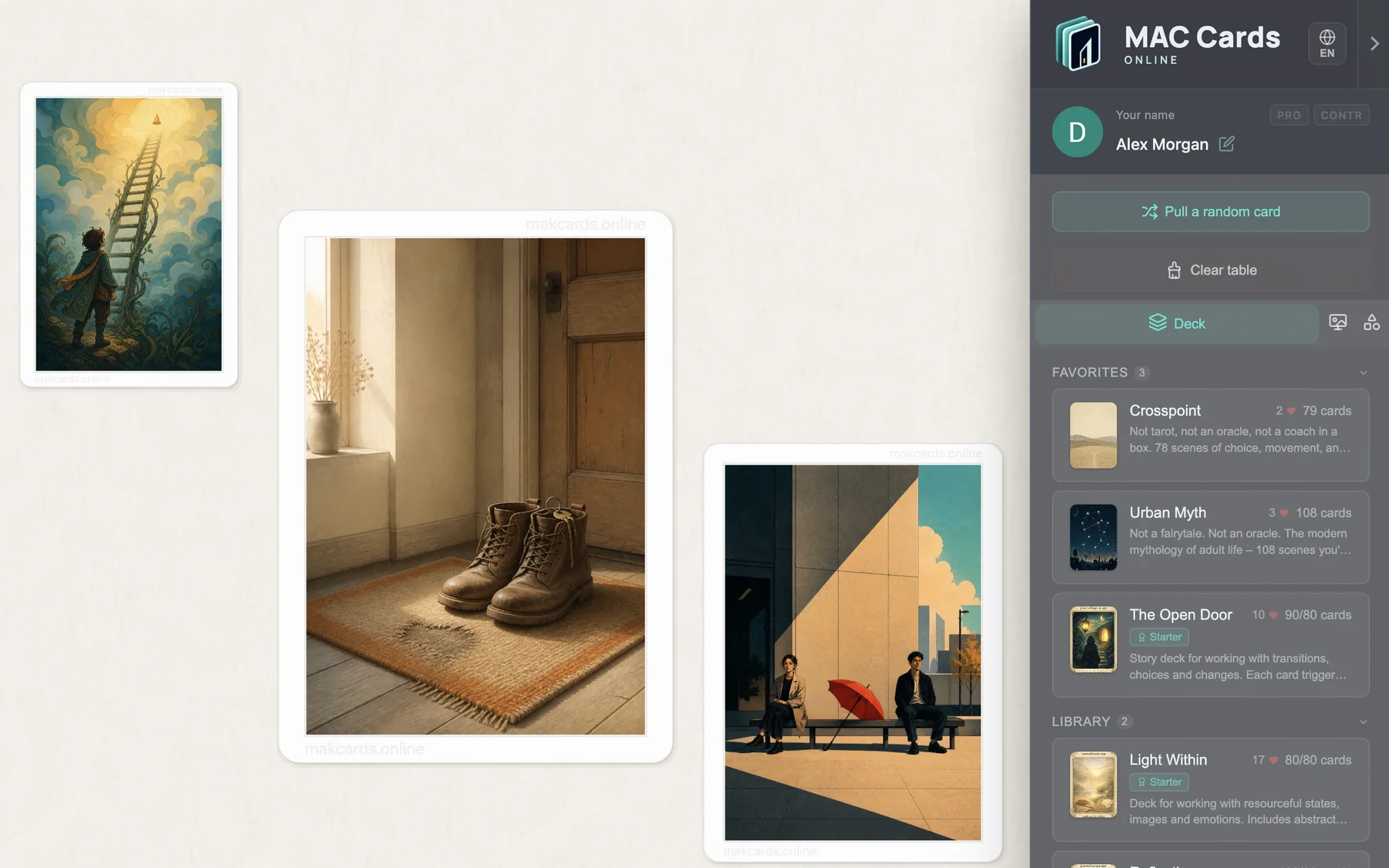
Draw cards, add notes, discuss in real time.
Features
Everything the practice needs, in one place.
Real-time sync
All participants see the same board with zero delay. Up to 150 people.
Three note types
Private, public, or anonymous – you choose the mode.
Decks & cards
Public and author decks, image cards and word cards. Switch decks mid-session and nothing leaves the board: one layout ends up holding images from several decks.
Game pieces
5 colored tokens, a d6 die, and collectible items for T-games.
Creator tools
Deck and room editors are open to anyone signed in.
Marketplace & pearls
Invite codes, Deck Pledge, collectible items, Premium purchase.
In the browser
Desktop and tablet. No installation – just open the link and start.
For shops
REST API and manual invite code delivery. API keys for automation.
What's available
Transparent access model: from free start to professional tools.
No account
Open the platform or follow a link. Basic session, public decks, notes, chat, tokens and die.
With account
Sign in via Google. Profile, achievements, acquired decks in your library, item inventory, pearl balance, Premium/PRO features.
For creators
Deck and room editors are open to anyone signed in. Publishing goes through moderation; access to a private deck travels by invite code. Learn more
For shops
Manual code delivery or REST API. API keys for automated generation. Learn more
Trust & security
We protect creators' content and comply with international regulations.
Content protection
- Images split into tiles (3x3)
- Invisible watermark for tracing leaks
- Request rate limiting
- Content moderation before publishing
Legal compliance
- DMCA / DSA compliant
- Copyright Policy and takedown process
- Terms of Service and Privacy Policy
- IP protection for creators
FAQ
Quick answers to common questions about the platform.
How is this different from a list of journal prompts?
Do I need to sign up?
How private is this?
- Only people with the link can access the room.
- Notes can be private, public, or anonymous – your choice.
- We recommend not putting personal data in notes.
Can I create my own deck?
What are pearls?
Can I run a live session with a client?
What are game pieces?
How much does it cost?
What is Premium and PRO?
Is session data stored?
Does it work on phones and tablets?
Does this replace therapy?
Is there an API for shops?
Ready to try?
Open the platform – your first session is created automatically. Free, no installation.