

Work with MAC cards on your own — anytime, from anywhere
Your infinite board for thoughts and insights
Draw a card, add a note, find your answer. Cozy rooms for meditative practice, no sign-up needed.
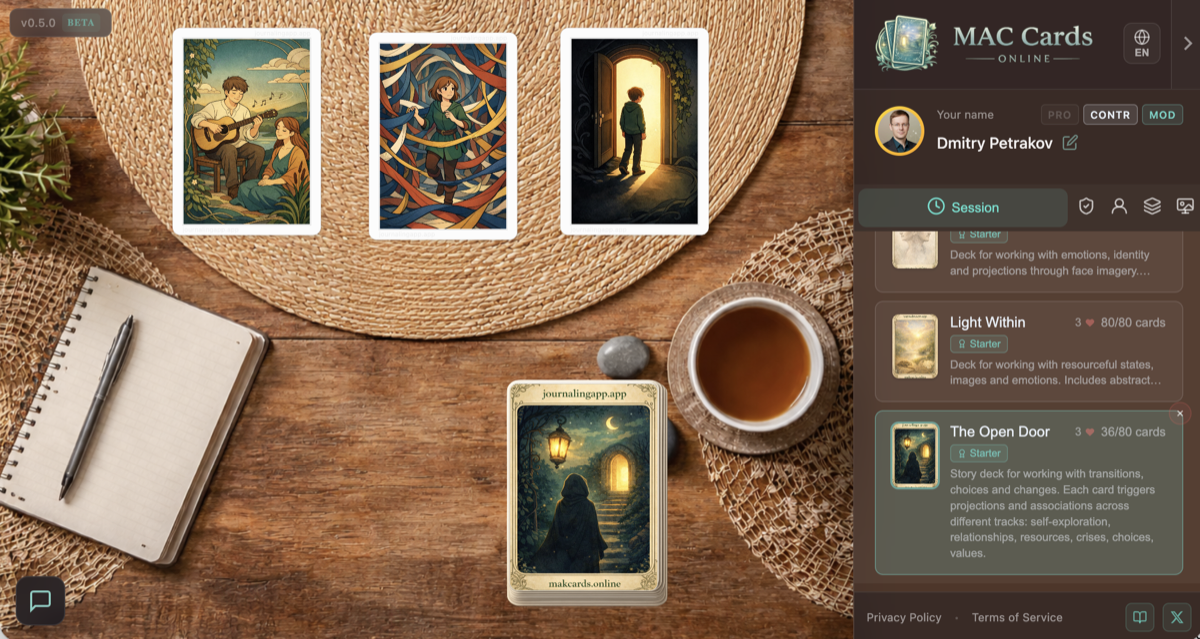
Without the platform
- Physical cards aren't always at hand
- Hard to preserve a layout for later
- Need a table and quiet space
With MAC Cards Online
- Online board available 24/7 from any device
- Private notes capture your insights
- Cozy rooms set the right atmosphere
Features
Everything you need for a focused, personal practice with metaphorical cards.
Cozy reflection rooms
Intimate space with atmospheric backgrounds. Mobile and desktop versions. Create your own rooms.
Card decks
Use any public deck or get author decks from creators and shops. Various themes and styles.
Create your own
Build your own decks with the editor. Limited private slots; unlimited public decks if they pass moderation.
Two ways to draw
Blind draw — trust the chance. Open pick — find the right image. Card groups (people, situations, resources).
Notes
Sticky notes right on the board. 5 colors. Private (only you), anonymous, or public in group sessions.
Game pieces
Tokens and dice for Transformational Games (T-Games). Collectible items (zen stones, flowers) for atmosphere.
No sign-up
Start in 3 seconds. Sign in optionally (Google). Personal dashboard for managing decks.
How it works
Three simple steps to start your practice.
Open the site
Choose a room and a deck for your practice.
Draw cards
Blind or open — lay them out on the board.
Add notes
Capture your insights and reflections.
Pricing
Start for free — upgrade when you need more.
No sign-up
- All public decks and rooms
- Notes and stickers
- Tokens and dice for T-Games
- No registration required
With account
- Everything from the free tier, plus:
- 1 private deck + 1 custom room
- Author decks from creators and shops
- +1 slot per published deck
- Personal dashboard & collectible items
Premium
- Everything from account tier, plus:
- Up to 10 private decks + 10 rooms
- Advanced session settings
- Unique frame, cursor & highlight in the participant list
FAQ
Quick answers about personal practice with MAC cards.